
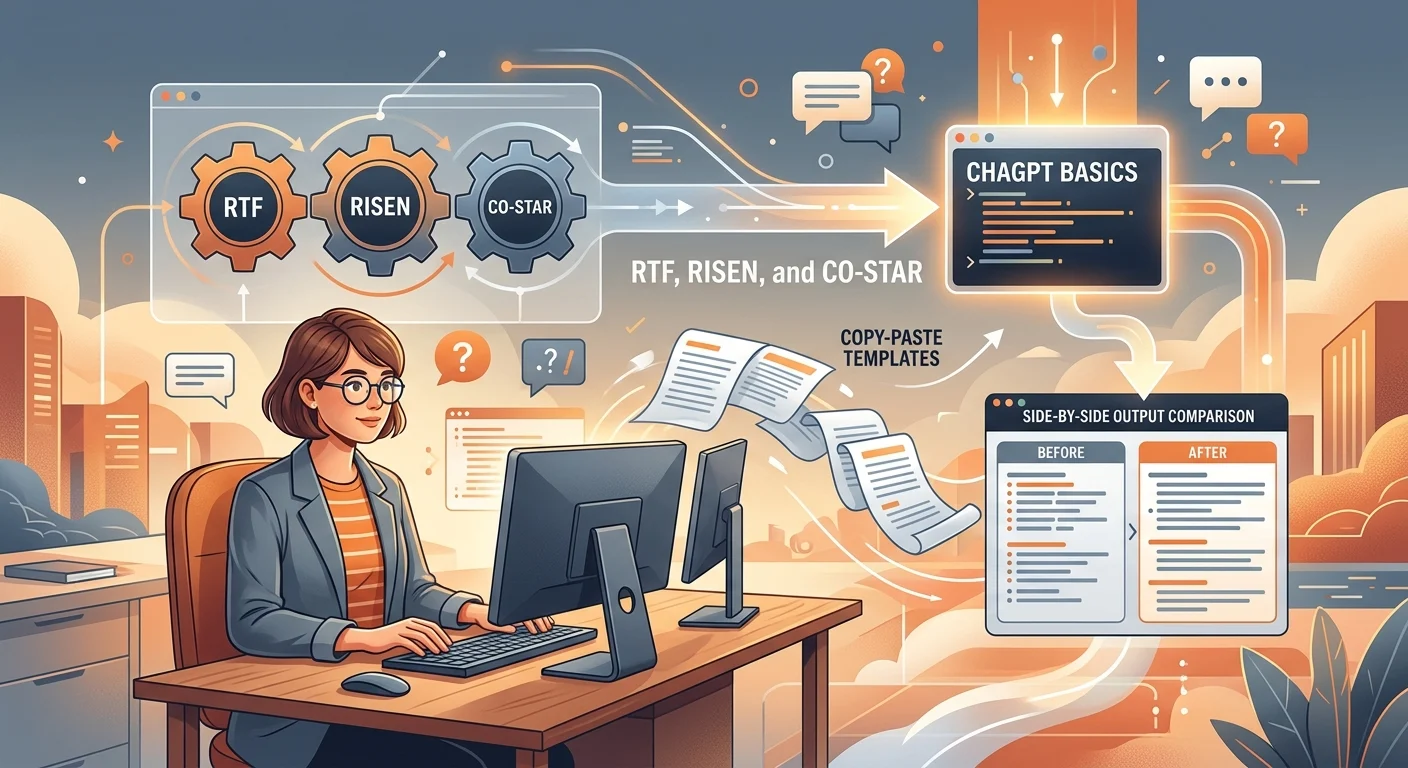
Prompt structures for ChatGPT basics are modular blueprints that arrange your instructions into clear components—typically Role, Context, Task, Constraints, and Format. Using a defined structure stops ChatGPT from guessing, cuts generic corporate fluff, and produces precise, actionable answers on your very first try.
If you use ChatGPT for work or study, you have likely received generic, overly polite essays that miss the mark. You do not need to be an engineer or memorize complex jargon to fix this.
This guide breaks down the core building blocks of reliable prompts into simple, reusable patterns. By the end, you will know how to turn vague requests into structured commands that deliver sharp, ready-to-use results every time.
Key takeaways
- Every reliable prompt combines at least 3 to 4 core components: Role, Context, Task, Constraints, and Format.
- Frameworks like RTF and RISEN eliminate guesswork by telling the model exactly what to build and what to avoid.
- Adding negative constraints prevents common AI clichés, corporate filler, and sycophantic praise.
- Reverse prompting lets ChatGPT interview you first so you provide missing details before it generates text.
- A structured prompt built for ChatGPT easily transfers to Claude, Gemini, and Microsoft Copilot with minor syntax tweaks.
Why Prompt Structure Matters: How ChatGPT Reads Your Words
ChatGPT does not understand goals the way humans do; it operates entirely on next-token prediction and statistical probability to select the most likely next word DataCamp.
When you provide an unstructured, open-ended prompt like "write an email about our project delay," the model pulls from billions of average internet samples. The mathematical average of human writing is safe, generic, and stuffed with corporate filler. You end up with empty phrases like "I hope this email finds you well" and zero actionable substance.
Structured prompting acts as a filter. By providing specific boundaries, you narrow the probability field down to the exact style, length, and technical depth you need. You provide high-signal direction, which stops the model from filling the gaps with low-value noise.
The Anatomy of an Output: Signal vs. Noise
Signal represents your facts, direct instructions, and firm boundaries. Noise represents vague adjectives, unstated assumptions, and conversational banter. When your prompt lacks structure, the noise drowns out your intent, forcing ChatGPT to invent details that lead directly to hallucinations.
Core Prompt Structures for ChatGPT Basics: The 5 Universal Blocks
A high-performing prompt typically requires at least 3 to 4 core components: Role, Context, Task, Constraints, and Output Format Unrot. Omitting even one forces the model to make wild guesses about your expectations.
- Persona / Role: Defines perspective, tone, and depth of knowledge. Examples: "Act as a veteran B2B copywriter" or "You are a principal database architect."
- Context / Background: The relevant facts, target audience, and situation. Examples: "We are launching an inventory software update for warehouse managers who find tech confusing."
- Specific Task: An action-driven command using clear verbs instead of passive phrases. Examples: "Draft three announcement emails" rather than "Help me with our launch."
- Constraints & Guardrails: Strict negative rules specifying what the model must avoid. Examples: "Do not use exclamation marks, keep it short, and skip introductory pleasantries."
- Output Format: The structural shape of the final text. Examples: Markdown table, bulleted checklist, JSON block, or executive summary.
Official OpenAI guidance emphasizes that establishing clear goals, relevant context, defined output rules, and strict boundaries yields the most reliable outputs OpenAI.
Role: Act as a senior [JOB TITLE / EXPERTISE].
Context: I am working on [PROJECT / SITUATION] targeted at [SPECIFIC AUDIENCE]. Their primary pain point is [KEY PROBLEM].
Task: Create [EXACT ASSET / DELIVERABLE] that explains [CORE TOPIC].
Constraints:
- Do not include corporate clichés or generic introductory text.
- Maintain a [ADJECTIVE, E.G., DIRECT, REASONED, PRAGMATIC] tone.
- Keep the total length under [WORD OR SENTENCE COUNT].
Output Format: Present the final response as a [FORMAT, E.G., 3-COLUMN MARKDOWN TABLE / BULLETED LIST] with headers for [KEY FIELDS].
The Top 4 Beginner Prompt Frameworks Compared
Prompt frameworks give you ready-to-use mental models so you never have to stare at a blank input box wondering what to type God of Prompt. Select your framework based on the complexity of your task.
- RTF (Role, Task, Format): The fastest setup for simple, daily tasks like summarizing text or reformatting data.
- RISEN (Role, Instructions, Steps, End Goal, Narrowing): Organizes complex multi-step tasks into clear sequential stages AiPromptsX / Unrot.
- CRISPE (Capacity, Request, Insight, Stated Persona, Purpose, Experiment): Organizes requests into 5 core elements for creative and marketing generation God of Prompt.
- CO-STAR (Context, Objective, Style, Tone, Audience, Response): Guides professional communication across six comprehensive touchpoints God of Prompt.
When to Use Each Framework
Use RTF when you need an answer quickly. Use RISEN when the task requires strict chronological steps like standard operating procedures. Use CRISPE when you need voice and nuance for marketing assets. Use CO-STAR when drafting materials for executive leadership or external clients.
# Context: Our team completed [PROJECT NAME] behind schedule due to [REASON], but we delivered [KEY ACHIEVEMENT / SAVING].
# Objective: Draft an executive project update for the executive team.
# Style: Concise corporate briefing.
# Tone: Accountable, professional, forward-looking.
# Audience: Chief Operating Officer and Vice President of Operations.
# Response Format: Markdown executive summary containing:
1. Status Overview (2 sentences maximum)
2. Root Cause Analysis (3 bullet points)
3. Remediation & Next Milestones (Numbered list with completion dates)
Before and After: Structured Prompts in Action
Side-by-side testing reveals how adding structure completely changes the output quality of identical tasks.
### Scenario 1: Writing a Difficult Professional Email
Poor Prompt: "Write an email to a client saying their custom feature will be delayed."
Poor Output Result: A lengthy, apologetic four-paragraph letter opening with "I hope you are having a wonderful week!" It sounds insecure, over-promises future work, and invites unnecessary friction.
Structured Prompt: "Role: Senior Account Manager. Context: B2B software client waiting for a custom reporting API. Task: Inform them of a delay due to data migration testing. Constraints: No groveling, no apologies beyond one polite sentence, do not blame the engineering team, keep it brief. Format: Subject line followed by 3 short paragraphs covering Update, Reason, and New Delivery Schedule."
Structured Output Result: A confident, crisp email that explains the delay clearly, frames testing as a quality safeguard, and sets a firm delivery date. The client feels respected and informed instead of alarmed.
Scenario 2: Summarizing a Long Report into an Action Plan
Poor Prompt: "Summarize this quarterly operations report." Result: A wall of generic bullet points repeating high-level stats without assigning ownership or priorities.
Structured Prompt (RISEN): "Role: Chief of Staff. Instructions: Read the pasted text and extract operational bottlenecks. Steps: 1. Identify issues with high financial impact. 2. Group them by department. 3. Assign an urgent action item for each. End Goal: An operational punch list for tomorrow morning's meeting. Narrowing: Limit to top urgent items; skip standard financial overhead updates." Result: An actionable table ready for immediate review by department heads.
Role: Executive Communications Coach.
Context: I need to decline a request from [REQUESTER NAME] who wants [REQUEST DETAILS].
Task: Draft a firm, courteous refusal email.
Constraints:
- Never say 'I hope this email finds you well' or 'Unfortunately'.
- State the decision in the very first sentence.
- Provide [ONE REASON] as the rationale without over-explaining.
- Offer [ONE ALTERNATIVE RESOURCE / NEXT STEP] as a constructive next step.
Format: Subject line followed by a concise email.
Zero-Shot vs. Few-Shot: Guiding Outputs with In-Prompt Examples
In prompt engineering, zero-shot means asking the model to perform a task without showing it any prior examples Coursera. It relies entirely on pre-trained patterns.
Few-shot prompting provides one, two, or three completed input-and-output pairs directly inside your prompt before asking the model to complete the new task. This technique dramatically improves accuracy for complex categorization, brand voice matching, and structured data extraction.
If you want ChatGPT to match your unique writing style or extract messy data into clean rows, zero-shot instructions often fall short. Supplying two clear examples anchors the model to the exact pattern you want.
How to Cleanly Format Few-Shot Prompts
Use clear delimiters like markdown tags, triple backticks, or capitalized headers (INPUT: / OUTPUT:) to separate your training examples from the actual task. This prevents ChatGPT from treating your demonstration as part of the live instruction.
Role: Technical Writer.
Task: Convert customer bug reports into clear, developer-ready issue summaries.

Follow the exact pattern demonstrated below:

[EXAMPLE 1]
Input: 'The login page freezes on my phone when I tap submit while on a slow connection.'
Output: [Mobile Web] Login button freezes on form submission under high-latency connection.

[EXAMPLE 2]
Input: 'I tried exporting the CSV file of invoices and got a blank document with no error code.'
Output: [Billing / Export] Invoices CSV generator yields empty file without throwing server exceptions.

[YOUR TASK]
Input: '[PASTE RAW BUG REPORT HERE]'
Output:
The Reverse Interview: Letting ChatGPT Ask the Questions
The most effective prompt structure for complex projects is one that stops ChatGPT from answering immediately. Instead, you instruct the AI to interview you one question at a time to surface missing context.
Most users forget critical parameters like team size, budget, technical limits, or exact tone when writing a prompt. When you force ChatGPT to interrogate your idea first, it gathers every missing variable needed to build a solid final output.
This technique completely eliminates back-and-forth frustration and produces tailored, high-caliber strategies on the first comprehensive draft.
I want you to act as an expert [ROLE / FIELD, E.G., PRODUCT STRATEGIST / CAREER COACH].

My ultimate goal is to create [DESCRIBE GOAL, E.G., AN ONBOARDING ROADMAP FOR A REMOTE DEVELOPER].

Do NOT generate the final plan yet.

Your task is to ask me clarifying questions that will help you create the most tailored, high-converting result possible. Ask your questions one at a time, wait for my response, and then ask the next question. Once we have covered the key questions, synthesize my answers and generate the final output.
10 Plug-and-Play Prompt Templates for Everyday Tasks
Copy, paste, and adapt these tested prompt templates across common personal and professional workflows. You can also explore thousands of community-verified setups in the PromptifyLab prompt library.
### 1. Executive Work Email & Negotiation "Role: Executive Negotiator. Context: Replying to an internal stakeholder who is requesting additional scope on [PROJECT] without expanding budget or deadlines. Task: Write a diplomatic email holding firm boundaries. Constraints: No passive-aggressive phrasing, offer two trade-off alternatives, keep it brief. Format: Subject line + message body."
### 2. Complex Concept Simplifier (Feynman Technique) "Role: University Professor known for clear explanations. Task: Explain [COMPLEX CONCEPT] to a beginner student. Constraints: Use one relatable everyday analogy, avoid technical jargon without defining it immediately, keep it concise. Format: Definition -> Analogy -> Real-world impact."
### 3. Research Synthesis & Structured Comparison Table "Role: Market Research Analyst. Context: Evaluating [TOOL A] versus [TOOL B] for a mid-sized marketing agency. Task: Compare both options across pricing, learning curve, API access, and customer support. Format: Markdown comparison table with a final row summarizing who should buy which tool."
### 4. Critical Editor and Writing Critique "Role: Tough Developmental Editor. Context: Reviewing the draft below for clarity, brevity, and pacing. Task: Identify weak verbs, redundant paragraphs, and corporate jargon. Constraints: Do not rewrite the piece yet. First, provide bulleted critique with exact line citations, then score readability. Text: [PASTE DRAFT]"
### 5. Meeting Notes to Action Item Extractor "Role: Project Operations Manager. Task: Review the attached meeting transcript and build an accountability matrix. Constraints: Ignore casual chitchat; only extract explicit commitments. Format: 4-column Markdown table: [Task Description | Owner | Deadline | Dependency]. Transcript: [PASTE NOTES]"
Templates 6 Through 10
### 6. Step-by-Step SOP / Process Builder "Role: Systems Architect. Task: Build a Standard Operating Procedure for [PROCESS NAME]. Format: Prerequisites -> Step-by-Step Instructions (action verbs first) -> Quality Checklist -> Common Pitfalls."
### 7. Data Cleaning and Markdown Table Generator "Role: Data Assistant. Task: Reformat the messy list below into a clean Markdown table. Columns: [First Name, Last Name, Email, Status]. Constraints: Standardize phone numbers, lowercase all emails, flag missing data as 'N/A'. Data: [PASTE DATA]"
### 8. High-Converting Social Media Hook Creator "Role: Direct-Response Copywriter. Context: Announcing an article about [TOPIC]. Task: Write 5 distinct opening hooks for LinkedIn. Constraints: No emojis, no clickbait question marks, use curiosity gaps or contrarian insights. Format: Numbered list with the copywriting angle labeled in brackets."
### 9. Counter-Argument / Devil's Advocate Stress Tester "Role: Hostile Board Member. Context: Our team is proposing to [BUSINESS DECISION]. Task: Attack this proposal from financial, legal, and operational perspectives. Point out three critical assumptions we are making. Tone: Direct, skeptical, unsparing."
### 10. The Universal Project Kickoff Template "Role: Program Manager. Context: Starting a new initiative: [BRIEF SUMMARY]. Task: Create a project charter outline. Format: Project Mission -> Core Objectives -> Out-of-Scope Boundaries -> Primary Milestones -> Initial Risk Register."
Role: Senior Program Manager.
Context: We are kicking off [INITIATIVE NAME] with a target completion date of [TARGET DATE]. Our team consists of [ROLES/HEADCOUNT].
Task: Draft a concise, one-page project charter.
Constraints:
- Keep all sections strictly bulleted.
- Differentiate clearly between 'In-Scope' and 'Out-of-Scope'.
- Limit assumptions to the top critical dependencies.
Output Format: Markdown document with headers for Executive Summary, Objectives, In/Out Scope, Key Milestones, and Initial Risk Register.
Cross-Platform Guide: Using ChatGPT Prompts in Claude and Gemini
Core prompt structures translate across major language models with minor adjustments for platform strengths.
- ChatGPT: Responds well to system-level role prompts, clear negative guardrails, and markdown headers like # Context or # Task.
- Claude: Optimized for clear XML tags such as `<context>`, `<instructions>`, and `<rules>`. Claude handles nuanced long-form documents with less prompt hand-holding.
- Google Gemini: Excels with direct task instructions and large context documents, though it occasionally requires reminders to obey strict negative formatting constraints.
- Microsoft Copilot: Highly integrated with workplace data; benefits from specific file citations and explicit enterprise formatting instructions.
If you are unsure which platform fits your current workflow, test your requirements against our free AI Model Picker to match your task with the best model.
Handling Context Window Fatigue in Long Threads
As a conversation extends past many messages, the model gradually deprioritizes your opening rules. If you notice your output quality sliding backward, do not try to fix it inside the same thread. Copy the summary, open a fresh session, and re-anchor the model with your core prompt structure.
7 Costly Prompt Mistakes and How to Fix Them
Most unsatisfactory ChatGPT responses stem from a handful of predictable prompt errors Coursera. Correcting them instantly upgrades your output.
- Kitchen-Sink Prompting: Jamming five complex jobs into a single message. Solve this by breaking your workflow into sequential prompt steps.
- Missing Negative Constraints: Forgetting to tell ChatGPT what to avoid, leading directly to corporate jargon, sycophantic openers, and inflated word counts.
- Thread Drift: Continuing a conversation long after the initial context window is degraded. Always start a fresh chat for new tasks.
- Vague Quality Descriptors: Asking for "high quality," "viral," or "engaging" writing without defining specific attributes like reading grade level or structural cadence.
- No Defined Output Format: Leaving the format open-ended, which defaults to standard essay paragraphs.
- Assuming Real-Time Facts: Expecting the model to know obscure internal updates without pasting relevant source documentation.
- Conflicting Constraints: Demanding a comprehensive, highly detailed technical manual while limiting the response to two short paragraphs.
Copy and append this block to the bottom of any writing prompt:

Negative Constraints:
- Do not include introductory pleasantries (e.g., 'Sure!', 'I would be happy to help').
- Do not use corporate clichés or repetitive filler words.
- Avoid passive voice; use strong, active verbs.
- Cut all fluff; every sentence must convey verifiable data or direct instructions.
Level Up Your AI Workflow with Free PromptifyLab Tools
Mastering basic prompt structure is the fastest way to save hours of manual rewriting each week. Once you master these fundamentals, dedicated tools can accelerate your workflow even further.
- Refine Drafts Automatically: Paste your rough thoughts into our Prompt Improver to add missing roles, formats, and guardrails with a single click.
- Extract Winning Formats: Use the Video to Prompt extractor to reverse-engineer high-performing video scripts into modular prompt structures.
- Find Tested Frameworks: Browse thousands of curated, role-specific prompts inside the PromptifyLab prompt library to see how industry professionals structure complex tasks.
| Framework | Components | Best Used For | Complexity |
|---|---|---|---|
| RTF | Role, Task, Format | Fast daily requests, quick formatting, simple summaries | Low |
| RISEN | Role, Instructions, Steps, End Goal, Narrowing | Multi-step standard operating procedures, workflows, technical execution | High |
| CRISPE | Capacity, Request, Insight, Stated Persona, Purpose, Experiment | Creative copywriting, marketing campaigns, voice-driven blogs | Medium |
| CO-STAR | Context, Objective, Style, Tone, Audience, Response | Executive memos, client-facing emails, strategic proposals | Medium-High |
Common mistakes (and what to do instead)
- Using open-ended, conversational requests without formatting instructions; always specify bullet points, markdown tables, or word boundaries.
- Allowing corporate filler by omitting negative constraints; explicitly ban cliches and generic pleasantries.
- Overloading multiple sub-tasks into a single prompt; chain your requests sequentially across multiple messages for higher accuracy.
- Staying inside an old chat thread when starting a new project; open a clean session to prevent context window pollution and model drift.
Our take
ChatGPT does not need clever tricks to write well; it requires clear boundaries. When you anchor every request with a defined Role, rich Context, precise Task, explicit Constraints, and structured Format, you eliminate AI fluff and turn generic answers into immediate workplace assets.
Questions people ask
What are the 4 essential elements of a prompt?
A reliable prompt requires a Role, Context, Task, and Constraints. Setting these four foundations gives ChatGPT the background, goals, and negative boundaries it needs to produce precise answers on the first attempt without guessing.
Can I save my prompt structures inside ChatGPT Custom Instructions?
Yes, you can paste default constraints, tone preferences, and formatting rules directly into Custom Instructions. This applies your standard guardrails to every new conversation automatically, saving you from retyping them repeatedly.
Do newer models like GPT-4o need detailed prompt structures?
Yes, advanced models still require disciplined structure. While newer models infer missing ideas better, an unstructured prompt still yields generic statistical averages instead of focused, high-impact deliverables tailored to your exact workplace standards.
How do constraints improve AI outputs?
Constraints eliminate statistical noise by explicitly telling the model what to exclude. Banning buzzwords, imposing strict character limits, and demanding raw data blocks force the model to focus purely on high-value facts.
What is the difference between zero-shot and few-shot prompting?
Zero-shot asks for an answer with no prior examples, while few-shot includes one or more sample inputs and outputs inside your prompt. Few-shot dramatically improves accuracy when you need specific styling or consistent data formatting.
What does the CO-STAR prompting formula stand for?
CO-STAR stands for Context, Objective, Style, Tone, Audience, and Response format. It is a comprehensive framework widely used by professionals to generate high-stakes business memos, executive emails, and structured corporate proposals.
Sources
- coursera.orgUsed for: Next-token prediction and statistical probability reduce model drift.Report
- learn.chatgpt.comUsed for: High-performing prompts require at least 3 to 4 core components.Report
- help.openai.comUsed for: Effective prompts establish clear goals, context, outputs, and strict boundaries.Official
- godofprompt.aiUsed for: Frameworks give beginner prompt creators ready mental models for consistency.Report
- unrot.coUsed for: RISEN structures complex tasks across Role, Instructions, Steps, End Goal, Narrowing.Report
- datacamp.comUsed for: CRISPE organizes requests into Capacity, Request, Insight, Persona, Purpose, Experiment.Report
- coursera.orgUsed for: CO-STAR guides generation across Context, Objective, Style, Tone, Audience, Response.Report
Facts checked . We update this story when details change.
Written with AI assistance from the sources above and checked against them before publishing. Spotted an error? Tell us and we will fix it.
How we made this guide: we read the pages that rank for "prompt structures for chatgpt basics", mapped every subtopic and question they answer, added what they were missing, and checked the facts against the sources above.