
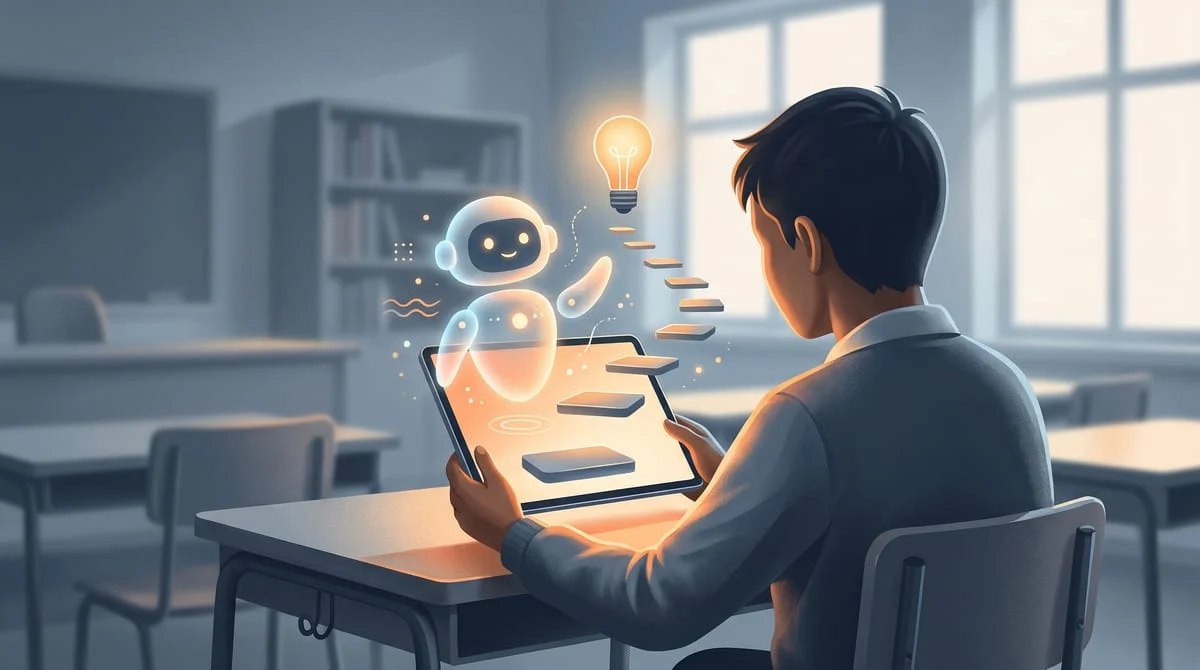
Google Guided Learning is a new AI coaching system for Google Search and Google Classroom that provides step-by-step prompts instead of direct answers to help students think critically. It is available globally in Classroom now and piloting in select U.S. schools for Search later this month.
If you have watched a student use AI for homework, you know the tension: are they actually learning, or just finding a shortcut? Google is attempting to solve this by changing how its AI interacts with students.
The company is introducing Google Guided Learning, a system designed to act as a personal coach. Instead of handing over the final answer to a physics problem or a book report, the AI now asks questions and provides step-by-step breakdowns to keep students engaged in the work.
By the end of this guide, you will know which tools are available now, how school administrators can shut these features off, and how to mimic this coaching style yourself.
Key takeaways
- Guided Learning replaces direct answers with step-by-step coaching prompts.
- Google Classroom users globally have access to these tools starting today.
- Google Search is piloting these features in select U.S. schools later this month.
- School admins can now disable all AI products for K-12 accounts by default.
What Google Guided Learning does
Google Guided Learning changes how students interact with AI by acting as a coach rather than a shortcut blog.google. Instead of providing the final solution to a complex problem, the AI uses open-ended questions and step-by-step breakdowns to guide the student toward the answer themselves.
This approach is based on the concept of "productive struggle," where students are challenged enough to learn but not so much that they quit blog.google. For example, if a student asks for help with a book report or a physics equation, the system will prompt them to think critically about the concepts first. According to Google, their research indicates that this coaching method leads to measurable learning gains for students blog.google.
AI products should support “productive struggle” — enabling students to be actively challenged without getting so overwhelmed that they give up.
Chris Phillips, VP and General Manager of Education, Google
At a glance
| Detail | What we know |
|---|---|
| Product Name | Guided Learning |
| Key Executive | Chris Phillips, VP and General Manager of Education |
| Classroom Availability | Globally available today |
| Search Availability | Pilot in select U.S. schools later this month |
| Admin Controls | Off by default for K-12 accounts |
| Controlled Products | Gemini, Gemini Notebook, Gemini in Classroom, and Google Search |
How it works in Classroom and Search
Google Classroom has received Guided Learning capabilities globally starting today blog.google. In this environment, the AI acts as a 1-1 study tool that is anchored in the specific class materials assigned by the teacher. This helps students stay on task while giving teachers real-time insights into where the class is struggling and where extra support is needed.
Google Search is taking a slower approach, starting with a pilot program in select U.S. schools later this month blog.google. When the system detects a student account is seeking homework help, Search will walk them through the topic step by step. Google plans to gather feedback from educators during this U.S. pilot before expanding the feature to other school districts in the coming months blog.google.
AI tools often gave students direct answers to homework, creating a shortcut to completion.
AI acts as a coach, using prompts to guide students through the problem-solving process.
Students must actively participate in the work to get the result, reducing easy cheating.
- The specific date the Search pilot begins in U.S. schools
- Which specific U.S. school districts are part of the initial pilot
- Whether these features will be part of a paid Google Workspace for Education tier
New AI controls for school administrators
Google is updating its permissions model to give school leaders total control over AI access blog.google. Access to Gemini, Gemini Notebook, Gemini in Classroom, and Google Search will now be entirely off for K-12 student accounts by default. These tools will only become available if a school administrator explicitly turns them on.
This shift follows feedback from policymakers, researchers, and teachers who wanted more oversight of how AI enters the classroom blog.google. Google will share more specifics with schools in the coming months to help them prepare for the transition to this "off-by-default" system blog.google.
Hype vs reality
Technology can unlock incredible learning potential.
The tool is a prompting framework that prevents direct answers, but its success depends on admin adoption.
How it compares
| Feature | Standard AI | Guided Learning |
|---|---|---|
| Primary Goal | Quick answers | Productive struggle |
| Response Style | Direct solution | Step-by-step prompts |
| K-12 Access | Varies by account | Off by default (Admin control) |
What it means for you
Parents of students
Your children can no longer rely on Google Search for instant homework answers if their school enables this.
Do this: Ask your child's teacher if Guided Learning is being used in their classroom.
K-12 Teachers
You get real-time data on where your students are getting stuck during AI-assisted study.
Do this: Try assigning a Guided Learning activity in Google Classroom to see the insights.
School Administrators
You now have a master switch to disable all Gemini and Search AI for your students.
Do this: Review your AI permissions for student accounts before the new rollout.
Who should care (and who can skip it)
Worth your time if you…
- You are a teacher using Google Classroom
- You are a parent worried about AI cheating
- You manage IT for a school district
You can skip it if you…
- You only use AI for professional marketing
- You do not have children in K-12 schools
How to get ready for Guided Learning
- Check Classroom access Log into Google Classroom to see if Guided Learning activities are available for your assignments.
- Verify Admin settings If you are an admin, check the Google Admin console for the new AI toggle switches for K-12 accounts.
- Monitor Search (US only) If you are in a participating U.S. school, look for step-by-step prompts when searching for homework help.
This mimics the Guided Learning behavior in any AI model.
I am struggling with [TOPIC/PROBLEM]. Instead of giving me the answer, I want you to act as a tutor. Use the 'productive struggle' method: ask me a leading question to help me find the first step, and only give me a hint if I get stuck after two tries. Let's start with the first step.When using the coaching prompt, tell the AI exactly what you already know so it doesn't waste time guiding you through the basics.
Expecting the AI to give a quick answer for a deadline. If you need a fast summary, use a standard AI model; Guided Learning is designed to slow you down for the sake of learning.
What to watch next
- Late November 2026 The U.S. Search pilot begins, which will show if students actually use coaching or find ways around it.
- Coming months Google will release specific details to schools on how to manage the new AI controls.
Our take
This is a necessary pivot from Google to prevent AI from becoming a universal cheating machine. The biggest caveat is that it relies entirely on school administrators to turn it on, meaning adoption will be patchy across different districts.
If you are a student or parent, try the coaching prompt above to see if you actually prefer the 'struggle' over the answer.
Your next step
- Prompt hubLearning & Education prompts
Find more ways to use AI for education without cheating.
- Prompt hubStudy & Revision prompts
Get prompts that help you review material actively.
- Free toolVideo to Prompt
Questions people ask
Is Google Guided Learning available everywhere?
Google Guided Learning is available globally in Google Classroom starting today. However, the Google Search integration is currently limited to a pilot program in select U.S. schools starting later this month.
Can students still get direct answers from Gemini?
For K-12 student accounts, access to Gemini and other AI tools will be off by default. If an administrator enables them, Guided Learning is designed to provide coaching prompts instead of direct answers.
Who controls whether students can use these AI tools?
School administrators have full control. They must explicitly turn on AI products like Gemini and Google Search for K-12 student accounts for them to be usable.
What is 'productive struggle' in AI learning?
Productive struggle is a philosophy where AI challenges students with open-ended questions and step-by-step breakdowns. This prevents them from getting the answer too quickly while ensuring they don't get overwhelmed.
Sources
- blog.google – Responsible AI for schools with Guided LearningUsed for: All claims regarding Guided Learning and admin controls.Official
Sources checked . We update this story when details change.
Written with AI assistance from the sources above and checked against them before publishing. Spotted an error? Tell us and we will fix it.